Your money, in calm water.

See where your money goes.

Flodi shows how your salary splits into spending, savings and what is left, in one picture. Upload your bank statements and your purchases sort themselves, with help from AI if you like.

Free · Out now for iPhone and Android · The app is in Swedish

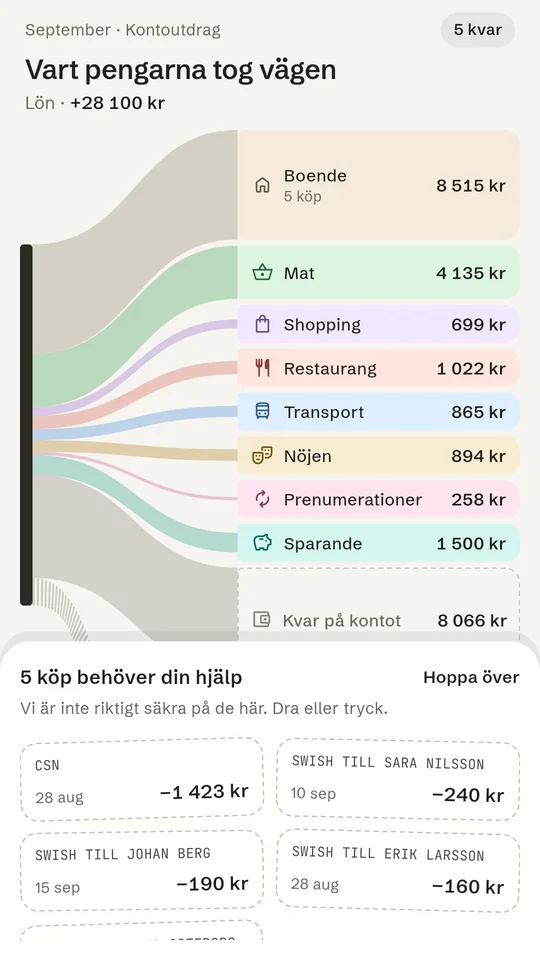
The money flow shows an example salary split into housing, food, transport, savings and what is left.

Your month, at a glance.

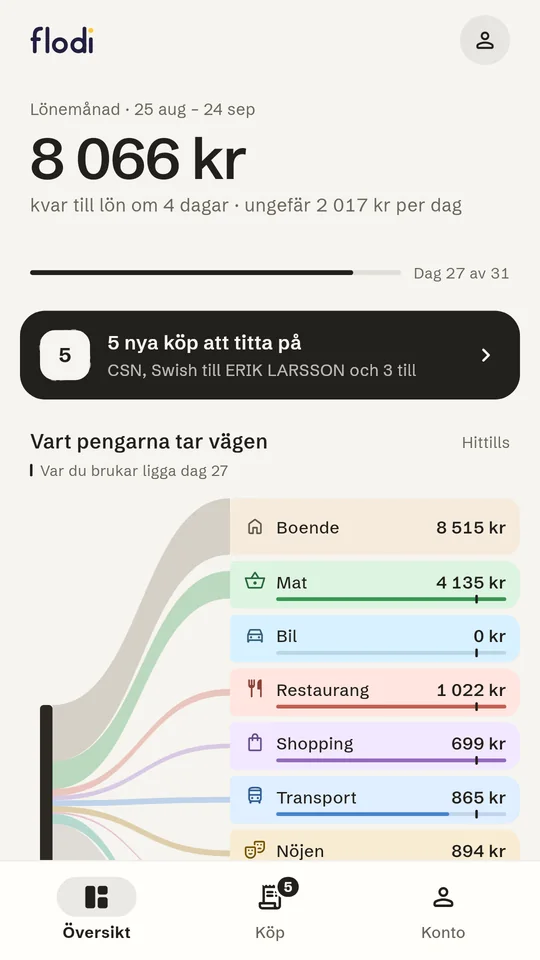
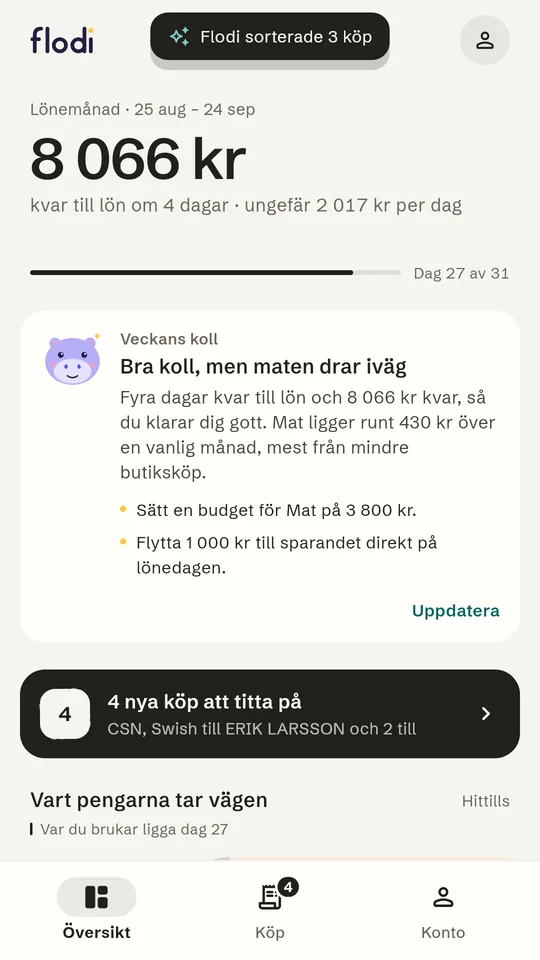
The month runs from payday to payday. See what is left, roughly how much you have per day and how each category compares with a normal month.

1

Upload your statements

Export statements as Excel or CSV from your Swedish internet bank and pick the files in the app. Flodi recognises the columns, checks the balance row by row and skips transactions you have already imported. Just want to look around? Try it with test data.

The overview shows what is left until payday and roughly how much per day.
2

Purchases sort themselves

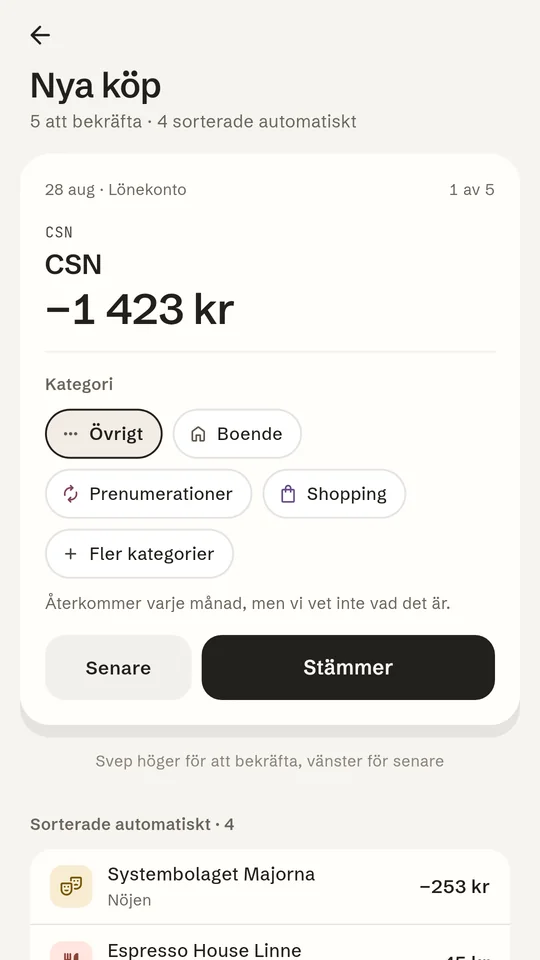
Everyday purchases land in the right category on their own. The ones Flodi isn't sure about you confirm with a tap, and it remembers your choice next time. You can move a purchase to another category or split it across several.

A purchase to confirm, with suggested categories.
3

The whole month. One clear picture.

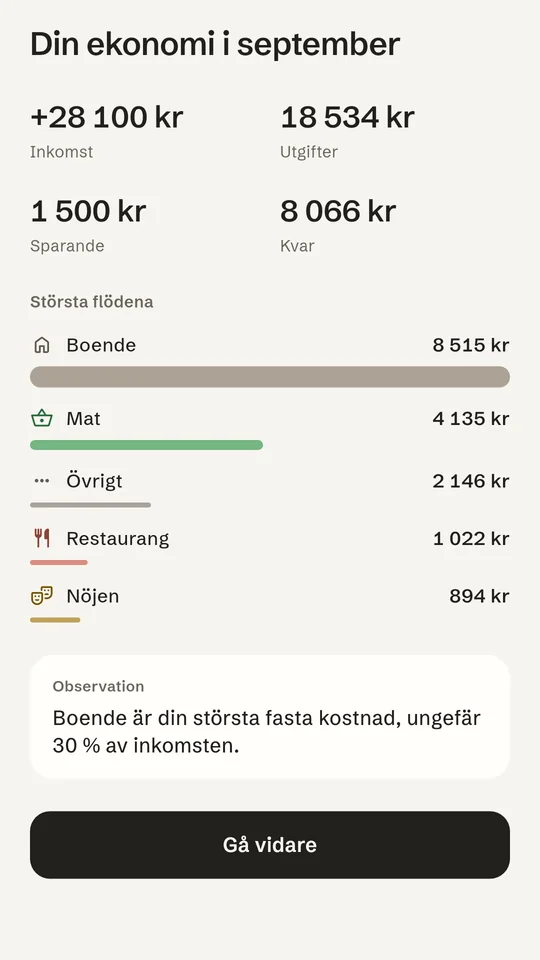
Income, spending, savings and what is left, together with the largest categories. Transfers between your own accounts don't count as spending.

Monthly summary with income, spending, savings, what is left and the largest categories.
The overview with Veckans koll, the weekly check-up: Flodi sums up the week and gives two budget tips.
In the app now · Flodi AI

Let Flodi help.

Turn on Flodi AI if you like. It sorts the purchases the rules don't recognise, foreign shops and services included, and every week you get a short check-up on how it's going.

  • Purchases sorted for you. When Flodi is sure, the purchase lands in the right place at once; otherwise you get a suggestion to confirm.
  • Veckans koll. A summary of your week with budget tips.
  • Off until you say yes. Turn it on and off under Konto.
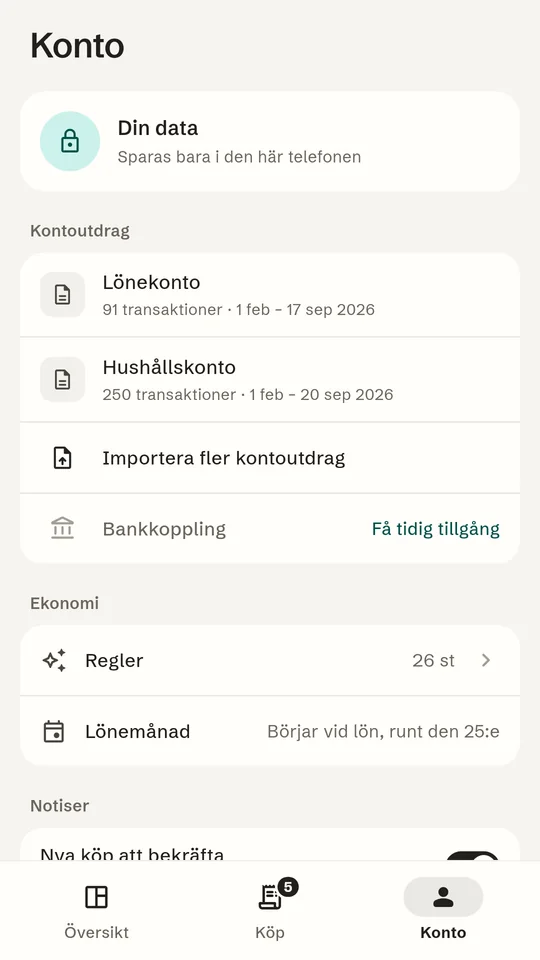
The account page shows that data is stored only on this phone.

Your data stays on your phone.

No account and no sign-in. Statements are read and stored only on your phone.

  • Nothing is sent to us while Flodi AI is off. Turn it on and only the shop names of unsorted purchases and totals per category are sent, never amounts per purchase, dates or account numbers.
  • No ads and no tracking. The app contains no such services.
  • Delete everything whenever you like under Konto → Radera all data.

Bank linking is coming.

Link your bank and purchases arrive automatically, and Flodi AI sorts them straight away. For now you add purchases yourself by uploading statements.

  • Purchases arrive by themselves. Link your bank once, then new purchases come in without uploading anything.
  • A notification for new purchases. You hear when a purchase has come in, so you can sort it right away.
  • Sorted straight away. Flodi AI puts new purchases in the right category as soon as they arrive.